White Label Image Compression: White-Label Image Compression: How Platforms Ship “Their Own” Optimizer Without Building One
How CMS, print, e-commerce and media platforms offer a branded image optimizer without building one. Covers build-vs-buy tradeoffs, format realities in 2026, architecture patterns, and a launch checklist.
Mike · · · 9 min read · 1,998 words
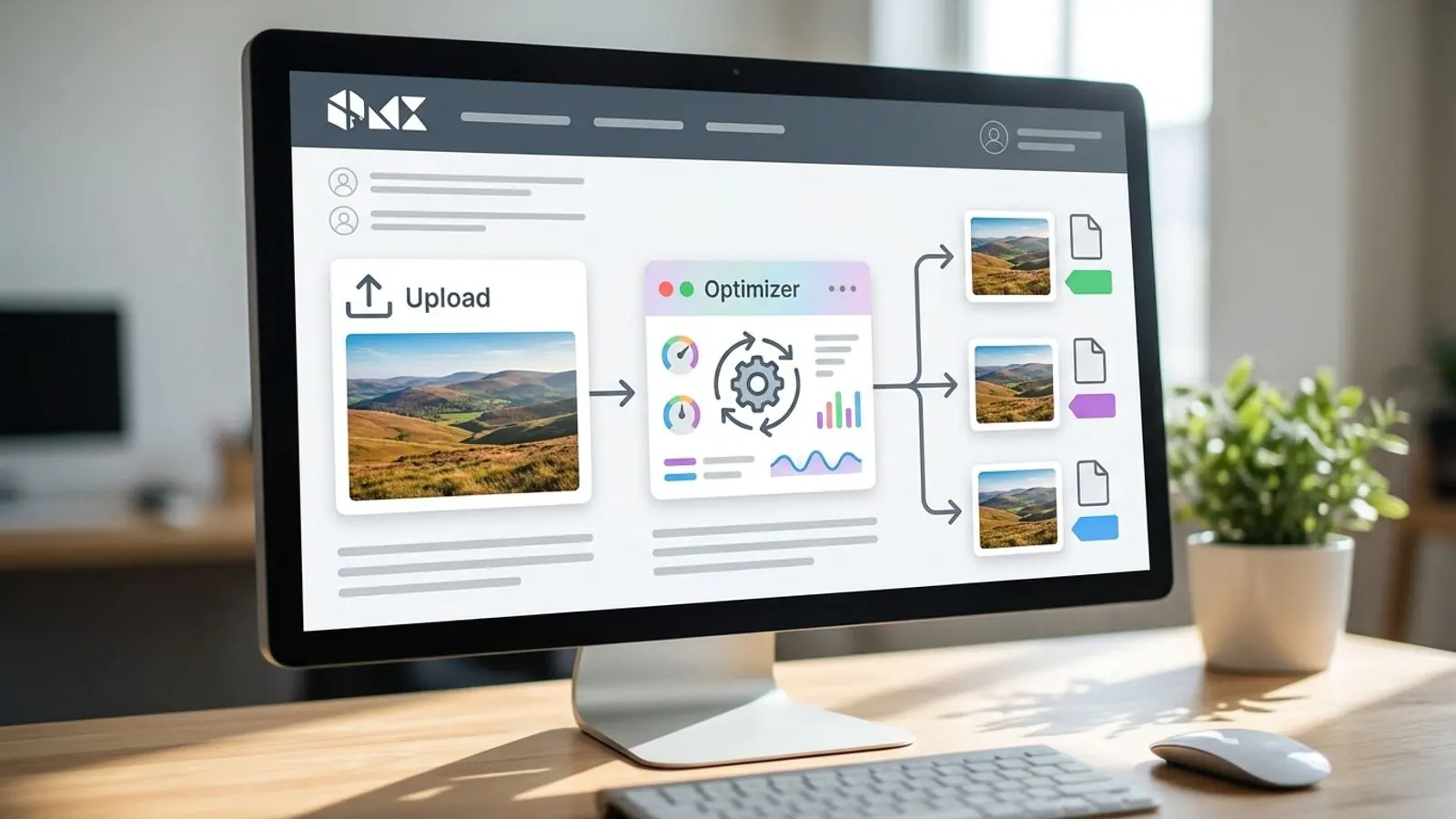
White label image compression is easier when you start with a clear default and a quick visual check.
Why platforms want "their own" optimizer
If you run a CMS, a storefront builder, a print-on-demand service or a media platform, your users upload images all day. Many of those files are oversized phone photos, unoptimized PNG screenshots, or HEIC files a browser won't display. Someone has to fix that before the images hit a page, a cart, or a print queue.
Your users don't care which library does the work. They care that your product handles it. That is why platforms keep shipping "Optimize images" buttons, "Auto-compress on upload" toggles, and image endpoints under their own domain.
Most of those features aren't built from scratch. Under the hood they're white label image compression: a specialist engine running behind the platform's brand, UI and billing.
This guide covers what that means in practice, when it beats building in-house, which format details you inherit, and how to roll it out without surprising your users.
What white-label image compression actually means
"White label" gets used loosely, so here is a precise definition. A white-label image service gives you three things.
1. A branded image optimizer UI
Your customers see your logo, colors and domain, not the vendor's. For a CMS this might be a compression panel in the media library. For a print platform it might be a pre-flight step that converts and resizes uploads before proofing.
2. A white-label image API
Your backend calls an API to compress, resize or convert images. Responses, errors and usage are scoped to your account, so you can resell or bundle the capability without exposing a third-party brand to your customers.
3. Metered usage you can price however you like
You pay the vendor per image processed. You can package that cost however suits your business: included in a plan tier, sold as an add-on, or absorbed as a retention feature.
What stays under the hood
The vendor owns the hard parts:
- Encoder selection and tuning (MozJPEG-style JPEG optimization, PNG quantization, WebP and AVIF encoding)
- Handling odd inputs: CMYK JPEGs, 16-bit PNGs, animated files, HEIC, broken EXIF orientation
- Scaling, queuing, retries and keeping encoders up to date
- Keeping quality consistent across formats, so a "high quality" preset looks similar whether the output is JPEG or AVIF
You own the parts that differentiate your product: when optimization runs, what defaults customers get, and how it shows up in your UX.
Build vs. integrate vs. white label
Founders usually weigh three paths. None of them is right in every case, so here is how they compare.
| Factor | Build in-house | Generic image compression SaaS | White label |
|---|---|---|---|
| Brand visible to your customers | Yours | Vendor's (often) | Yours |
| Time to first working feature | Weeks to months | Days | Days, after provisioning |
| Encoder maintenance | Your team, indefinitely | Vendor | Vendor |
| Edge-case input handling | You discover it in production | Vendor | Vendor |
| Pricing control toward customers | Full | Limited (customers may buy direct) | Full |
| Cost model | Compute + engineering time | Per-plan subscription | Prepaid credits per image |
| Lock-in risk | Low (but high sunk cost) | Medium | Medium; keep your originals |
Build in-house makes sense when image processing is your core product, or when you have unusual constraints such as air-gapped deployments or proprietary codecs. Be honest about the long tail, though. Wrapping libvips or ImageMagick takes an afternoon. Handling the thousandth strange upload safely, at scale, with consistent quality, is the hard part.
Generic image compression SaaS works for internal use, like your own marketing site or a one-off backlog cleanup. It's awkward as a customer-facing feature, because your customers can see the vendor and may simply go to it directly.
White label fits when image optimization is a feature your customers expect and you want to own the experience and the margin.
Format realities you inherit (as of 2026)
A white-label engine can only help if your defaults match how browsers and downstream systems actually behave. Here is the practical picture as of 2026. Verify against current compatibility data before you hard-code anything.
- JPEG and PNG have near-universal support. They remain the safe fallback for email, older embedded webviews, marketplaces and print workflows.
- WebP is supported in all current major browsers. For most web delivery it's a low-risk default and can be smaller than an equivalent JPEG or PNG, but results depend on the image, the encoder and its settings. Compare actual outputs on your own content rather than assuming a size advantage.
- AVIF is supported in current Chrome, Edge, Firefox and Safari. It often compresses photographic content further than WebP, but encoding is slower and older devices may still be in your audience. Serve it with a fallback.
- JPEG XL has partial and changing browser support. It's worth watching, but don't make it a default delivery format for customer sites yet.
- HEIC/HEIF is common in uploads from iPhones but isn't a reliable delivery format on the web. Treat it as an input to convert, not an output.
Two implications for platform builders:
- Keep originals. Store the uploaded master and generate optimized derivatives. Formats will keep changing, and you'll want to re-encode later without asking customers to upload again.
- Negotiate the format. Use
<picture>withtypehints, orAccept-header negotiation at your CDN, so AVIF and WebP reach browsers that support them and JPEG or PNG reaches everything else.
Architecture patterns that work
Most platforms land on one of three patterns, or a mix.
Pattern 1: Optimize at upload
The user uploads, your backend stores the original and calls the white-label image API, then stores one or more derivatives (for example, a WebP and a JPEG fallback at a few widths).
- Pros: predictable cost per upload, fast page delivery, no runtime dependency on the vendor
- Cons: storage multiplies with derivatives, and changing defaults means backfilling
Run the API call asynchronously, through a queue or background job, so slow encodes don't block the upload response. Show a "processing" state in the UI.
Pattern 2: Batch backfill
You already host millions of unoptimized images. Run a backfill that walks your storage, sends each original through the API, and writes derivatives alongside.
- Rate-limit the job and make it resumable. Track a cursor and log failures for retry.
- Process highest-traffic assets first; that's where the bandwidth savings show up soonest.
- Credits get consumed quickly here, so estimate volume before you start. Prepaid credits make that budgeting explicit.
Pattern 3: Customer-facing optimizer tool
An "Optimize" button or a standalone branded image optimizer inside your dashboard. Customers choose quality and format and see before/after sizes.
- Good for print and media platforms, where users want control
- Show the real numbers for their files rather than marketing claims. Per-file savings vary a lot with content.
- Offer sensible presets ("Web", "Email", "High fidelity") instead of a raw quality slider for non-technical users
Vertical notes: CMS, print, e-commerce, media
CMS and site builders. Auto-optimization on upload is now a baseline expectation. Default to WebP with fallback, consider AVIF for photo-heavy themes, and generate responsive widths that match your theme's breakpoints. Let advanced users switch it off per image. Some will upload images that have to stay byte-identical.
Print and print-on-demand. Be careful here. Never lossily recompress the file that goes to the printer. Use compression and conversion for previews, proofs, thumbnails and storefront mockups, and keep the print master untouched. Converting customer HEIC or WebP uploads into a print-friendly format at upload time removes a real source of support tickets.
E-commerce. Product images drive both conversion and page weight. Generate consistent derivatives (thumbnail, listing, zoom), strip unnecessary metadata, and keep the background handling of transparent PNGs consistent. Check what marketplaces and feed consumers accept before you switch feed images away from JPEG.
Media and publishing. Volume is high and images are shared widely. Optimize at upload, keep originals for licensing and archives, and make sure social preview images (Open Graph) stay in widely supported formats.
The economics: prepaid credits vs. building
<!-- EDITOR: Verify the credit rate, $70 minimum purchase, and standard-plan prices below against the live pricing page before publication. -->
At the time of writing, Comprestack White label uses a simple model: prepaid credits starting at $70, at $1 per 1,000 images. So $70 in credits covers 70,000 image operations. It's plain multiplication you can put in a spreadsheet next to your own upload volumes. Check pricing for current rates.
When you compare against building, count everything:
- Engineering time to build, harden and maintain the pipeline
- Compute for encoding (AVIF in particular is CPU-intensive)
- On-call and incident time when a malformed upload crashes a worker
- Opportunity cost: what your team would ship instead
Then look at the revenue side. A per-image cost lets you price image optimization as a plan feature or a paid add-on with a margin you know in advance.
If you're not yet at platform scale, Comprestack's standard plans may be enough to validate demand. At the time of writing they include Free (20 images/month), Pro (around $10/month), Business (around $35/month), plus one-off packs. White label is the step up once the feature is customer-facing and branded. See pricing for current details.
Launch checklist
Use this before you turn the feature on for customers:
- [ ] Originals preserved — the uploaded master is stored untouched; optimized files are derivatives
- [ ] Defaults chosen per surface — web delivery, email, print preview and feeds each have an explicit format and quality preset
- [ ] Fallbacks in place — AVIF/WebP served with JPEG/PNG fallback via
<picture>or CDN negotiation - [ ] Async processing — API calls run in background jobs with retries and timeouts
- [ ] Failure behavior defined — if optimization fails, the original is served and the error is logged, not shown to the end user
- [ ] Metadata policy — decide what EXIF/ICC data you strip or keep (keep color profiles; consider stripping GPS for privacy)
- [ ] Opt-out available — power users can disable optimization per asset or per site
- [ ] Usage monitoring — alerts before prepaid credits run low; per-customer usage tracked if you resell
- [ ] Branding verified — no vendor names in UI strings, emails, error messages or response headers your customers see
- [ ] Backfill plan — existing assets are scheduled by traffic priority, with a resumable job
- [ ] Honest UX copy — show actual before/after sizes rather than promising fixed percentages
Common pitfalls
- Recompressing already-compressed files repeatedly. Each lossy pass degrades quality. Always encode from the original.
- One quality setting everywhere. Screenshots, product photos and line art behave differently. Use presets, or let the engine choose per image.
- Ignoring animation. Animated GIF, WebP and PNG need explicit handling. Decide whether to preserve animation or extract a still.
- Treating file size as the only metric. Check visual quality on real customer content, especially skin tones, gradients and text on images.
- Leaking the vendor. One unbranded error page undoes the point of white label. Test the failure paths too.
Try it on Comprestack
To ship a branded image optimizer without building the engine yourself:
- Test quality on your own files with the Comprestack compressor. Upload a representative set from your platform: phone photos, screenshots, product shots.
- Review the API in the docs to see how upload-time and batch workflows would plug into your stack.
- Get White label provisioned. White label accounts are set up by our team and include a branded UI and API with prepaid credits (currently from $70 at $1 per 1,000 images). See White label pricing, or contact sales with your expected monthly volume and use case.
Already have an account? Open your dashboard, or browse more format and workflow guides on the blog.
Ready to put your brand on it? Start with Comprestack White label →
Related guides
Try it on your images
Compress or convert in the browser — same quality-first pipeline we write about.